 Life Insurance
 Health Insurance
 Investment
 Car Insurance
 Bike Insurance
 GCV Insurance
 PCV Insurance
 Taxi Insurance


SMC Insurance
Welcome to SMC.
How may I assist you?

Time Remaining to Avail Tax Benefits
(Under section 80C & 80D)
Get 90 Lakh Health Cover at Just ₹2K


Buy Life Insurance Now!
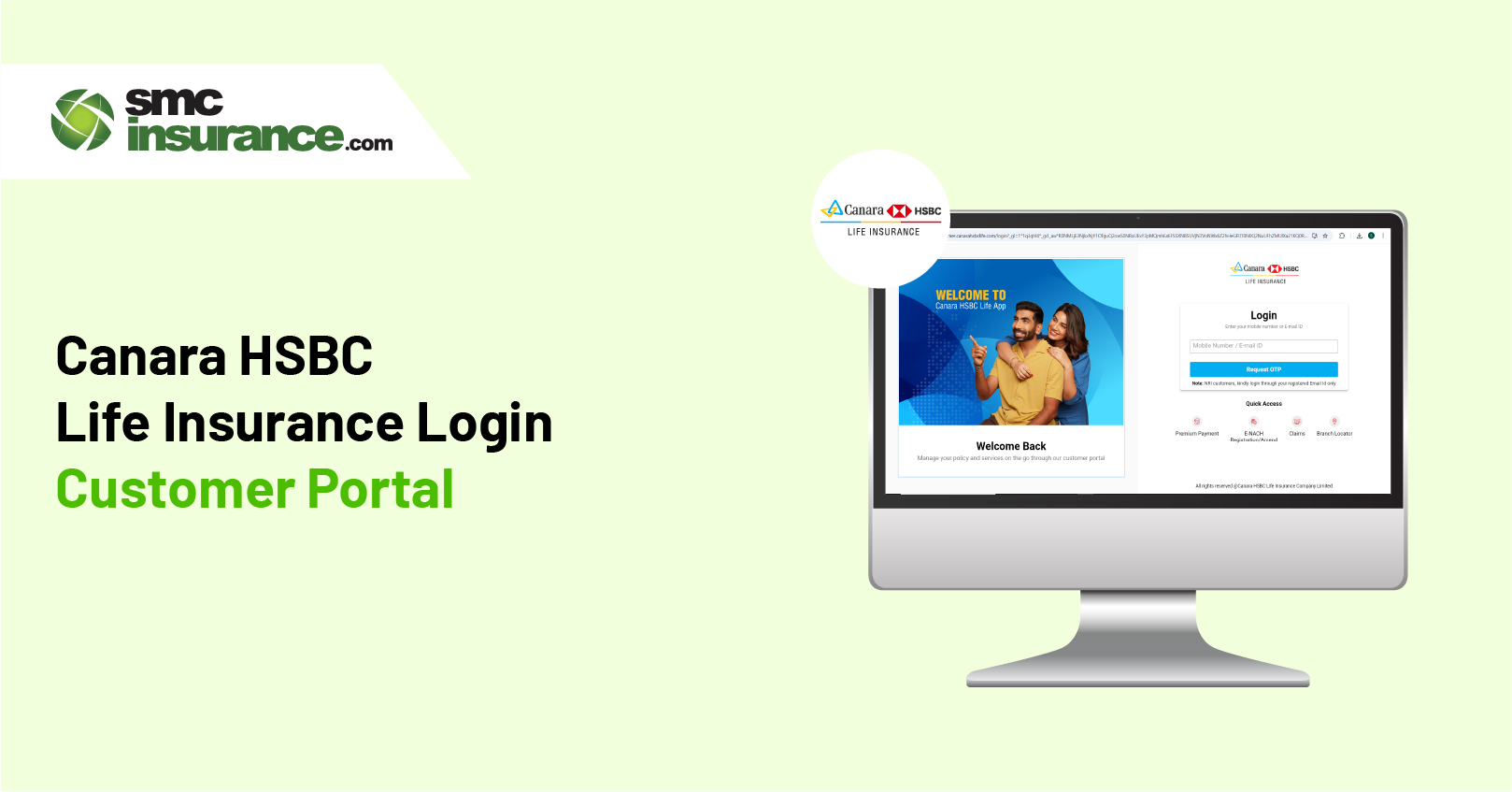
Life insurance is something that you invest on and hope you never need. Then one day, a question pops up during lunch, between meetings, or late at night, and suddenly checking about the policy becomes very important. When your life insurance policy is from Canara HSBC, then Canara HSBC Life Insurance login steps in, not with drama, but with answers.
A login page may sound ordinary, yet it quietly holds numbers, dates, promises, and progress tied to real lives. Want to see how far your policy has come since day one? Curious if a payment went through without chasing receipts? Or just checking details because peace of mind feels overdue? These small moments often lead people back to the same place.
How often do you revisit decisions made years ago? And what changes when everything is clearly laid out in front of you? The sections below unpack how the Canara HSBC Life Insurance login works and why knowing it well can make things simpler than expected.
Life insurance is one of those things most people plan to get to later. Then later arrives faster than expected. That is where Canara HSBC Life Insurance fits in. The company is a joint venture backed by Canara Bank and HSBC, two names people in India already trust with their money.
Canara HSBC Life Insurance offers plans that cover the basics and then some more.
The focus stays practical. It comes with tools that let customers manage their policies without running to a branch every time. The online customer portal is a big part of that. Once you are logged in, most policy tasks become quick and simple.
If you have already registered, logging in takes only a minute. And it saves you a lot of back and forth later.
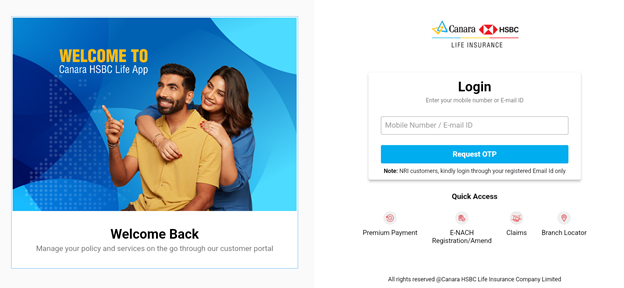
Once you are inside, you can view policy details, check premium due dates, download policy documents, update contact details, and raise service requests. And if you ever forget your password, there is a “forgot password” option right below the login box. Follow the steps and you can reset it easily.
If this is your first time, registration is a one-time thing. After that, everything stays in one place.
From here on, logging in becomes routine. And managing your policy feels less like paperwork and more like checking a bank account.
It happens more often than people admit. Too many passwords and too little time. And suddenly the login does not work. If you have forgotten your Canara HSBC Life Insurance portal password, fixing it is straightforward.
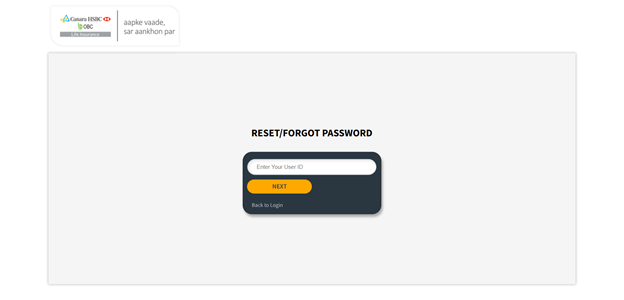
You can log in again using the new password right away. And if the OTP does not arrive instantly, wait a moment before trying again. Network delays happen. The system usually catches up.
The portal is not just a login screen. It is more like a control room for your policy. And once you start using it, it is hard to go back to offline tracking.
Your policy details, premium dates, payment history, documents. All of it sits in one dashboard. No digging through emails or folders.
Missed payments cause stress no one needs. The portal lets you pay premiums online in a few clicks. And you get instant confirmation.
Need a policy bond or premium receipt? Download it anytime. No waiting. No follow-ups.
Changed your address or phone number? Update it directly through the portal instead of visiting a branch.
If you raise a request, you can track its status online. You know what is happening and when to expect an update.
Sometimes you want answers right away. When that happens, here are the ways you can reach the support team at Canara HSBC Life Insurance.
Call these numbers when you need help with your policy, payments, claims, portal access, or other service requests:
These are typically available Monday to Saturday from 9:00 AM to 6:00 PM IST.
If you are outside India, use:
For new policy buyers:
There’s also a callback and missed call option:
If you prefer messaging over calling, Canara HSBC Life Insurance offers support via WhatsApp:
WhatsApp/Missed Call Activation Number: 9029006428 – Send ACT or give a missed call from your registered mobile number to activate WhatsApp support.
Email can be useful when you want a written response or need to send documents.
For complaints or more formal concerns, you can also reach:
There are a few ways to get help without leaving the site:
Managing life insurance should sit quietly in the background of your life. It should work when you need it and stay out of the way when you do not. That is exactly what the login portal and mobile app from Canara HSBC Life Insurance are meant to do.
You log in, see what matters and you move on with your day. Once inside, the layout feels familiar. You always know where you are and what comes next.
➔Your Dashboard
As soon as you sign in, you land on the dashboard. This is where your policy lives. All the key details sit on one screen. Your coverage, your premium history, upcoming payments, service requests, etc.
From here, you can check your policy status, follow a claim, or raise a request without breaking your routine. Even small updates like changing a nominee or updating PAN details can be done here. The dashboard keeps things neat without making it feel technical.
➔How to Manage Your Policies?
Insurance does not need constant attention. But when you do need to check something, the portal makes it quick. Here is what you can handle once you are logged in.
Everything is built to help you stay in control, without making insurance feel like work.
➔Make Premium Payments
Premium payments fit easily into the flow of daily life now. The portal treats it like any other online payment. Here is how it works:
➔Streamlined Claims Management
Claims are never just paperwork. There is always emotion involved. The portal keeps the process simple so it does not add to the load.
You can submit a claim online, upload documents, and track progress from start to finish. Updates come through clearly, so you always know where things stand. No branch visits. No repeated calls. Just a clear path through the process, when clarity matters most.
➔The Power of the Mobile App
If your phone is where you manage most things, the Canara HSBC Life Insurance mobile app fits naturally into that habit. It is available on both Android and iOS and gives you access wherever you are. With the app, you can:
Together, the portal and mobile app make insurance feel lighter. Less effort, less noise. Just something you stay on top of, without thinking about it too much.
Online access saves time. But a little care keeps things safe too. When you use the customer portal, these habits help protect your personal and policy details without much effort.
When people think about protecting their family and planning long term, Canara HSBC Life Insurance is a name that often comes up. And there are a few clear reasons for that.
The digital tools from Canara HSBC Life Insurance show how insurance can blend into daily life without asking for extra time or attention. Managing a policy, paying premiums, or tracking a claim feels straightforward and close at hand, not complicated or removed.
With easy online access and sensible security in place, staying on top of your insurance feels calmer and more certain. It stops being something you put off. It becomes something you manage quietly, with confidence, the way it was always meant to be.
Disclaimer: The information provided on this platform is intended for general awareness and educational purposes. While every effort is made to ensure accuracy, some details may change with policy updates, regulatory revisions, or insurer-specific modifications. Readers should verify current terms and conditions directly with relevant insurers or through professional consultation before making any decision.
All views and analyses presented are based on publicly available data, internal research, and other sources considered reliable at the time of writing. These do not constitute professional advice, recommendations, or guarantees of any product’s performance. Readers are encouraged to assess the information independently and seek qualified guidance suited to their individual requirements. Customers are advised to review official sales brochures, policy documents, and disclosures before proceeding with any purchase or commitment.
You can register on the portal by visiting the official login page and choosing “Sign Up” or “New User Registration.” You will need your Client ID, policy number, and date of birth as listed in your policy documents. Complete the form and you’ll receive a confirmation via email and SMS once your account is ready.
Go to the login page and click Forgot Password. Enter your registered email or mobile number, follow the verification steps, and set a new password. This helps you regain access without needing to call support.
After logging in to your account, go to your profile or personal details section. There you can update your phone number, email, or address. Changes usually reflect without needing to visit a branch.
The portal supports multiple secure payment options, including net banking, credit and debit cards, UPI, and other online methods. You can choose what works best for you.
Log in to the portal and find the premium payment section. Enter your details like policy number or registered mobile number if asked, select how you want to pay, and complete the payment. A confirmation message and receipt will be available to download once done.
Yes, the official mobile app for Canara HSBC Life Insurance is free to download on both Android and iOS devices. It lets you manage your policy details, payments, and service requests on the go.
Yes, the portal uses secure, industry-standard encryption and trusted payment gateways to protect your details. Payments made through the official site or app are designed to be safe and reliable.
After logging in, go to the claims section on the portal or the customer service page. There you can check updates and see where your claim stands in the process without needing to call customer care.


SMC Insurance Brokers Pvt. Ltd.
SMC Metro Mall, Near Pratap Nagar Metro Station, Pratap Nagar, New Delhi-110007
Registration No: 289, Registration Code No: IRDAI/DB-272/04/289, Valid till: 27/01/2029, License category: Composite Broker, CIN: U66000DL1995PTC172311
Insurance is the subject matter of solicitation.
Visitors are hereby informed that their information submitted on the website may be shared with insurers.
Product information is authentic and solely based on the information received from the Insurer.

Scan to Download
SMC Insurance App
