Enter any vehicle registration number to get complete RTO details in seconds. No Login · No OTP · 100% Secure. Format: State Code + RTO Code + Series + Number · Covered by IRDAI Reg. No. 289.
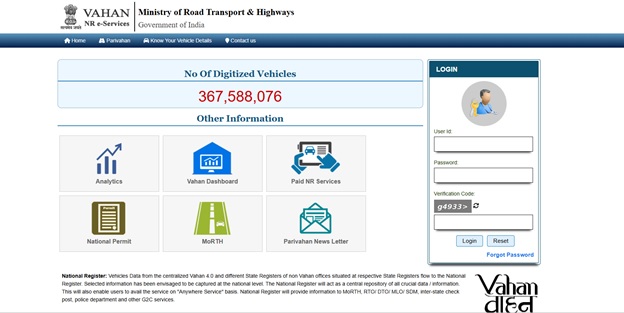
Every vehicle plying on Telangana's roads is registered with a Regional Transport Office (RTO) that falls under the Telangana State Transport Department. Whether you are buying a resale car in Hyderabad, verifying a bike before an insurance renewal, or simply trying to trace a vehicle involved in a mishap, the starting point is always the same — the vehicle's registration number and the RTO code embedded in it. The Government of India's VAHAN national registry (accessible via the Parivahan portal) lets you check Telangana vehicle details within seconds using just the registration number.
This guide walks you through checking TS/TG RTO vehicle and owner details online, understanding the Telangana RTO code list, and completing the most common RTO tasks — registration, RC renewal, ownership transfer, hypothecation, road tax, HSRP, driving licence, and insurance — step by step.
About RTO Telangana
The Telangana Transport Department was constituted after the state's bifurcation from Andhra Pradesh in June 2014. It functions under the Transport Commissioner and is supported by Joint Transport Commissioners, a Deputy Commissioner, District Transport Officers (DTOs), and Motor Vehicle Inspectors who run the Regional Transport Offices (RTOs) across the state's districts, including the multiple zonal offices that serve the Hyderabad metropolitan region. The department enforces the Motor Vehicles Act, 1988, and the Telangana Motor Vehicles Rules, and continues to apply road tax under the erstwhile Andhra Pradesh Motor Vehicles Taxation Act, 1963, as amended by the state government from time to time.
Note: Vehicles registered in the state historically carried the “TS” (Telangana State) prefix. Following a March 2024 Gazette notification from the Union government, new registrations now carry the “TG” prefix instead. Both prefixes refer to the same state; owners of vehicles already carrying a TS number are not required to replace their plates.
How to Check RTO Vehicle Details in Telangana
You can look up any TS/TG-registered vehicle's RTO record through official government channels in a few minutes. Follow whichever method is most convenient:
➔ Method 1: Parivahan Sewa website
- Open the Parivahan Sewa portal (parivahan.gov.in) on a browser and click “Informational Services.”
- Select “Know Your Vehicle Details” and register or log in with your mobile number and an OTP.
- Enter the full vehicle registration number (for example, TG09AB1234) and submit.
- The portal displays the vehicle class, make and model, registering RTO, fitness/insurance/PUC validity, fuel type, and a partially masked owner name.
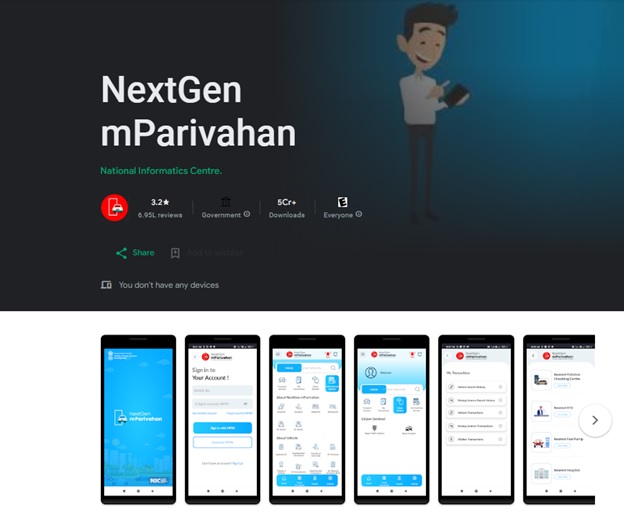
➔ Method 2: mParivahan app
Download the mParivahan app, add the vehicle using its registration number, and view the same details along with a virtual RC and DL that are valid for on-road checks.
➔ Method 3: SMS service
Type “VAHAN <registration number>” as an SMS and send it to 7738299899 to receive core vehicle details instantly, useful when you do not have internet access.
➔ Method 4: TS Transport Department portal
The Telangana Transport Department's official site (transport.telangana.gov.in) also links to RC status, application status, and RTO-wise service trackers.
Note: Third-party “instant owner lookup” websites that ask for payment or extensive personal data are not official RTO channels. Stick to Parivahan, mParivahan, or the state transport department for accurate and safe results.
RTO and Vehicle Details Available in Telangana
A standard vehicle detail report pulled from Parivahan for a TS/TG-registered vehicle typically includes the following data fields:
|
Data Field
|
What It Tells You
|
Registered Owner Name |
Usually shown partially masked for privacy |
Registering Authority |
The RTO/RTA office and district where the vehicle is registered |
Vehicle Class & Specifications |
Maker, model, body type, seating capacity, and fuel type (petrol, diesel, CNG, electric) |
Registration Date & RC Validity |
Date of first registration and the validity period of the RC |
Insurance Status |
Name of the insurer and the policy's expiry date |
PUC Status |
Whether a valid Pollution Under Control certificate is on record |
Fitness Certificate |
Fitness certificate validity for transport/commercial vehicles |
Hypothecation Details |
The financier's name if the vehicle is under an active loan |
Chassis and Engine Number |
A partial view of the chassis and engine number for verification |
Why Check RTO Vehicle Owner Details in Telangana?
- Buying a used car or bike: confirm the seller's name matches the RC before you pay any advance.
- Checking hypothecation status: make sure any bank loan on the vehicle has been officially cleared and removed from the RC.
- Insurance verification: before renewing or porting a policy, confirm the RC, chassis number, and existing insurer on record match what the customer has provided.
- Hit-and-run or accident cases: the vehicle number from CCTV footage or eyewitnesses can be used with official RTO channels to trace the registered owner.
- Renewing documents: renewing RC, paying road tax, or applying for a duplicate RC all require you to know your own vehicle's exact registration record.
Is It Legal to Check RTO Vehicle Owner Details?
Yes. Looking up basic vehicle and RTO details through Parivahan Sewa, the mParivahan app, or the Telangana Transport Department's own portal is completely legal, since these are official government platforms built for public and law-enforcement use under the Motor Vehicles Act, 1988.
However, in line with Government of India data-privacy norms, the full name and residential address of a private vehicle owner are not displayed to the general public — the name is typically shown partially masked. Complete owner details are released only to authorised parties such as the police, courts, or insurers through a formal request, or to the owner via RTI where applicable. Avoid unofficial websites or apps that promise the “full address and phone number” of a vehicle owner for a fee — such services are not RTO-authorised and may misuse the data you submit.
Telangana RTO Code
Every TS/TG registration number follows the standard national format: state code + two-digit RTO code + a one-to-four letter series + a four-digit number (for example, TG 09 AB 1234). The two-digit code right after the state letters tells you which RTO or district office issued the registration — this is what most people mean when they ask for the “TS RTO code list.”
The TS to TG Code Transition
Unlike some neighbouring states that use a single unified code for all new registrations, Telangana continues to assign a separate two-digit code to each district or zonal RTO — it has not moved to a one-state-one-code system. What has changed is the state letters themselves: following a March 2024 Gazette notification from the Union Ministry of Road Transport and Highways, Telangana's registration prefix moved from “TS” to “TG.”
- What this means for new buyers: every vehicle registered from that date onward carries a TG number instead of a TS number.
- What this means for existing owners: existing TS-prefixed plates remain fully valid; there is no requirement, deadline, or fee to swap a TS plate for a TG one.
- Why the RTO code itself is unaffected: the district/RTO code that follows the state letters (for example, 09 for Hyderabad Central) is unaffected by the TS-to-TG change — only the state letters differ.
Telangana (TG/TS) RTO Code List (Complete 38 Districts)
Below is the comprehensive list of all 38 RTO district and zonal codes for Telangana. Note that 'TG' replaces the older 'TS' prefix across all these districts for newly registered vehicles.
| RTO Code |
District / Zone |
| TG-01 | Adilabad |
| TG-02 | Karimnagar |
| TG-03 | Warangal Urban (Hanumakonda) |
| TG-04 | Khammam |
| TG-05 | Nalgonda |
| TG-06 | Mahbubnagar |
| TG-07 | Ranga Reddy |
| TG-08 | Medchal–Malkajgiri |
| TG-09 | Hyderabad Central |
| TG-10 | Hyderabad North |
| TG-11 | Hyderabad East |
| TG-12 | Hyderabad South |
| TG-13 | Hyderabad West |
| TG-14 | Reserved for Hyderabad |
| TG-15 | Sangareddy |
| TG-16 | Nizamabad |
| TG-17 | Kamareddy |
| TG-18 | Nirmal |
| TG-19 | Mancherial |
| TG-20 | Kumaram Bheem Asifabad |
| TG-21 | Jagtial |
| TG-22 | Peddapalli |
| TG-23 | Sircilla |
| TG-24 | Warangal Rural |
| TG-25 | Jayashankar Bhupalpally |
| TG-26 | Mahbubabad |
| TG-27 | Jangaon |
| TG-28 | Bhadradri Kothagudem |
| TG-29 | Suryapet |
| TG-30 | Yadadri Bhuvanagiri |
| TG-31 | Nagarkurnool |
| TG-32 | Wanaparthy |
| TG-33 | Jogulamba Gadwal |
| TG-34 | Vikarabad |
| TG-35 | Medak |
| TG-36 | Siddipet |
| TG-37 | Mulugu |
| TG-38 | Narayanpet |
Explore the complete RTO code directory and vehicle-detail lookup for Telangana on SMC Insurance's RTO code list page.
RTO and Vehicle Registration Rules in Telangana
Under the Motor Vehicles Act, 1988, and the Telangana Motor Vehicles Rules, every motor vehicle must be registered with the jurisdictional RTO before it is used on public roads. New vehicles typically move on a temporary registration for up to one month while the permanent RC is processed. A non-transport (private) vehicle's RC is valid for 15 years and can be renewed in blocks of 5 years thereafter. Owners must carry the RC, a valid insurance certificate, PUC certificate, and driving licence at all times, and must report any change of address, ownership, or hypothecation status to the registering RTO.
How to Register a Vehicle in Telangana RTO
- Get temporary registration from the dealer: the showroom usually generates a temporary registration and forwards Form 20 along with the sale invoice, insurance copy, and your ID/address proof to the RTO on your behalf.
- Apply on the Vahan portal: log in to the Parivahan Sewa (Vahan) portal, select Telangana and your RTO, and choose “New Vehicle Registration.”
- Upload the required documents: invoice, insurance certificate, PAN card or Form 60, address and identity proof, and the chassis and engine number pencil print provided by the dealer.
- Pay the registration fee, road tax, and HSRP charges: registration fee, applicable one-time road tax, and HSRP charges can all be paid online through the portal.
- Book an inspection slot at the RTO: for physical verification of the chassis and engine number by the Motor Vehicle Inspector.
- Visit the RTO on the appointment date: carry the original documents and the vehicle for inspection; once verified, the RTO allots a permanent registration number.
- Receive your Registration Certificate: the smart-card RC is dispatched by post to your registered address; a digital copy is usually available on DigiLocker/mParivahan in the interim.
Documents required
for Permanent Vehicle Registration in Telangana
- Form 20 (Application for Registration of a Motor Vehicle)
- Sale certificate / invoice from the dealer/manufacturer
- Temporary registration certificate (if issued)
- Insurance certificate valid on the date of application
- PUC certificate (for used or transferred vehicles)
- Identity proof — Aadhaar, voter ID, passport, or equivalent
- Address proof — Aadhaar, utility bill, rent agreement, or equivalent
- PAN card or Form 60/61 where PAN is not available
- Chassis and engine number pencil print of the vehicle
- Road tax payment receipt
- Customs clearance certificate (for imported vehicles) and passport-size photographs
How to Renew RC in Telangana RTO?
A private vehicle's RC issued for 15 years must be renewed for further 5-year blocks to remain legally valid. It is advisable to apply within 60 days before the expiry date to avoid a late-renewal penalty.
- Log in to the Vahan portal via Parivahan Sewa: select the RC-related services and choose “RC Renewal.”
- Upload the required documents: existing RC, current insurance certificate, valid PUC certificate, and Form 25 (fitness declaration) for transport vehicles.
- Pay the prescribed fee: the renewal and any applicable late fee.
- Book a slot for inspection where applicable: if the RTO requires a physical check of the vehicle's condition and chassis/engine numbers.
- Visit the RTO on the scheduled date: for verification and biometric/photo capture if required.
- Collect your renewed RC: the renewed smart-card RC is issued and dispatched to your address.
How to Transfer Vehicle Ownership in RTO TS (Telangana)?
Ownership transfer must be reported to the RTO promptly after a sale — delays attract a penalty for every month of default, so it is best completed within a few weeks of the transaction.
- Clear any existing hypothecation: if the vehicle carries an active loan, the hypothecation must be terminated first using Form 35 and the lender's no-dues letter/NOC, either as a separate step or alongside the transfer application.
- Seller fills Form 29 (Notice of Transfer of Ownership) reporting the sale to the RTO.
- Form 30 (Application for Transfer of Ownership) is completed jointly by the buyer and seller.
- Submit the forms with supporting documents: via the Telangana Transport Department's “Transfer of Ownership / Change of Address / Hypothecation” service on its portal, or in person at the RTO.
- Obtain an NOC for interstate/inter-RTO transfers: if the buyer resides in a different RTO jurisdiction or state, the seller's original RTO must first issue a No Objection Certificate on Form 28.
- Pay the transfer fee and complete verification: the RTO verifies documents (and the chassis number, where required) and endorses the new owner's name in the Vahan database.
- Receive the updated smart-card RC: reflecting the new owner is generated and dispatched by post.
Required Documents for Ownership Transfer in Telangana
- Original Registration Certificate (RC) of the vehicle
- Form 29 (in duplicate) duly signed by the seller
- Form 30 duly signed by both buyer and seller
- Valid insurance certificate and valid PUC certificate
- Identity and address proof of both buyer and seller (Aadhaar, PAN/Form 60, voter ID, etc.)
- Recent passport-size photographs of both parties
- Road tax payment proof showing dues are cleared
- Traffic challan clearance confirming no pending fines against the vehicle
- Form 28 NOC from the original RTO, if the buyer is registering in a different RTO or state
- Form 35 with the financier's NOC, if the vehicle was hypothecated
- Chassis and engine number pencil print of the vehicle
Note: Form 31 applies where the transfer follows the death of the registered owner, and Form 32 applies where the vehicle was purchased at a public auction — both require additional supporting documents such as a succession/legal-heir certificate or the auction sale certificate.
Steps for Hypothecation Endorsement (Loan Taken)
When you buy a vehicle on a bank or NBFC loan, the financier's name must be formally endorsed on the RC as the “hypothecatee.” This protects the lender's interest until the loan is repaid.
- Owner and financier jointly submit Form 34 (Notice of Agreement of Hypothecation) — most banks handle this directly with the RTO or dealer at the time of purchase.
- Attach supporting documents: a copy of the loan agreement, the RC, and the insurance certificate.
- Submit the application: through the Vahan portal's Hypothecation Addition service or at the RTO counter.
- Pay the applicable fee for the endorsement.
- RTO updates and issues the RC showing the financier's name; the vehicle cannot be sold or re-registered without the financier's consent until this endorsement is removed.
Steps for Hypothecation Termination (Loan Cleared)
- Obtain a loan closure letter or No-Dues Certificate (NOC) from the bank/NBFC once the loan is fully repaid.
- Fill Form 35 (Notice of Termination of Hypothecation), signed by the financier or with the financier's digital confirmation where supported.
- Submit Form 35, the closure letter/NOC, and the RC copy through the Vahan portal's Hypothecation Termination service or at the RTO.
- Pay the applicable fee for the termination.
- Collect the updated RC without the financier's endorsement, confirming you now hold clear, unencumbered ownership of the vehicle.
Note: Always complete hypothecation termination before — or together with — an ownership transfer if you plan to sell a vehicle that was financed. Buyers should never pay the full amount for a financed vehicle until Form 35 and the lender's NOC are in hand.
Telangana Road Tax Rates
Telangana levies a one-time “life tax” on private vehicles at registration, calculated as a percentage of the vehicle's ex-showroom price. Rates were last revised under Government Order (GO) No. 53, effective from August 2025, and taper down as the vehicle ages.
|
Vehicle Category
|
Indicative Tax Slab
|
Basis
|
Two-wheelers |
9% (below ₹50,000) rising to around 18% (above ₹2 lakh) for new vehicles; lower slabs of roughly 1–4% apply once the vehicle is over 11 years old |
% of ex-showroom price, age-adjusted |
Four-wheelers (private) |
New non-transport cars and jeeps: 13% to 21% depending on ex-showroom price band; company-owned vehicles and a second vehicle registered in the same owner's name: 15% to 25% |
% of ex-showroom price, age-adjusted |
Commercial / transport vehicles |
Calculated separately based on vehicle weight, seating capacity, and use; often paid quarterly, half-yearly, or annually rather than as a one-time tax |
Weight/seating-based, periodic |
Electric vehicles |
100% exemption on road tax and registration fee for electric two-wheelers, four-wheelers, taxis, autos, three-wheelers, light goods carriers, and buses, available for vehicles registered up to 31 December 2026 |
Government policy exemption (Nov 2024 GO) |
A separate annual Green Tax also applies to older vehicles — broadly around ₹1,000 a year for two-wheelers over 15 years old, ₹5,000 a year for private cars over 15 years old, and ₹7,000 a year for commercial vehicles over 7 years old, aimed at encouraging owners to move to newer, less-polluting vehicles.
Note: Road tax slabs are revised periodically by government order. Confirm the exact percentage applicable to your vehicle's price band and age on the Vahan portal or with your RTO before making payment.
How to Pay Road Tax in Telangana
- At the time of registration: as part of the new vehicle registration process, calculated automatically on the Vahan portal based on the vehicle's price and category.
- Online payment: through the Parivahan Sewa (Vahan) portal by entering the vehicle's registration number and paying via UPI, debit/credit card, or net banking; a receipt is generated instantly.
- Offline payment: at the jurisdictional RTO counter by presenting the RC and the tax payment challan.
- Periodic payment: for commercial and transport vehicles that pay tax periodically instead of as a one-time life tax.
Consequences of Not Paying Road Tax in Telangana
- Monetary penalty — penalties can run up to double the outstanding tax amount.
- Blocked RTO services — RC renewal, ownership transfer, or an interstate NOC will typically be held up until dues are cleared.
- Risk of seizure or legal action — vehicles found plying with unpaid road tax can be detained and are liable for prosecution under the state's Motor Vehicles Taxation Act.
- Interstate vehicles — vehicles from other states that remain in Telangana beyond the permitted period must pay Telangana road tax along with any applicable penalty.
Vehicle Registration, RC Renewal, Ownership Transfer, License and Road Tax Fees – Telangana
Government fee heads applicable across common Telangana RTO services include:
- New vehicle registration fee — varies by vehicle category (two-wheeler, four-wheeler, commercial)
- RC renewal fee — typically levied for renewal beyond the initial 15-year period
- Ownership transfer fee — charged when ownership is endorsed to a new buyer
- Hypothecation addition/termination fee — for adding or removing a financier's endorsement on the RC
- Duplicate RC fee — for a lost or damaged RC
- Learner's licence, driving test, and DL issuance fees — for the learner's test, skill test, and licence issuance respectively
- DL renewal fee — around ₹200, based on the licence category and mode of application
- HSRP fee — varies by two-wheeler/four-wheeler category
- Road tax — the one-time life tax percentage described above
Note: Exact fee amounts for each service are revised from time to time by the Telangana Transport Department. Always verify the current fee schedule on transport.telangana.gov.in, the Vahan portal, or with your nearest RTO before making a payment.
Applying for a High-Security Number Plate in Telangana Online
High-Security Registration Plates (HSRP) with a colour-coded fuel sticker are mandatory for every vehicle in Telangana. Vehicles registered on or after 1 April 2019 already come factory-fitted with HSRP.
Important Note
Older vehicles were brought under the HSRP mandate via a Transport Department order dated 9 April 2025, which initially set a 30 September 2025 compliance deadline. However, in late September 2025, the department publicly clarified that no penalty deadline has been finalised and reports of penalties starting 30 September 2025 were incorrect — implementation is still under government consideration as of this writing. Owners should check transport.telangana.gov.in or the HSRP portal for the current status before assuming a hard cutoff applies.
- Visit the official Telangana HSRP portal (hsrpts.com, also accessible via bookmyhsrp.com) and select “High-Security Registration Plate with Colour Sticker.”
- Enter your vehicle details: registration number, chassis number, engine number, and owner details.
- Select a fitment centre and appointment slot, or opt for home installation where the facility is available.
- Pay the HSRP fee online using UPI, debit/credit card, or net banking; fees vary for two-wheelers and four-wheelers.
- Visit the fitment centre at the chosen time to have the plate and sticker fitted, and collect your receipt.
Alternatively, you can apply offline by visiting the nearest RTO or an
authorised HSRP vendor, submitting a filled application with your RC copy, and paying the fee in person.
Checking the Status of HSRP in Telangana Online
Log in to the HSRP portal (hsrpts.com/bookmyhsrp.com) using your
application/order number or registered mobile number to track the booking, payment, and fitment status. The portal and SMS/email notifications
keep you updated at each stage, from booking confirmation to the final installation appointment.
How to Apply for a Driving Licence in Telangana
Getting a driving licence in Telangana happens in two stages — a Learner's Licence (LL), followed by a Permanent Driving Licence (DL) after a mandatory gap.
Stage 1: Learner's Licence
- Visit the Sarathi Parivahan portal (sarathi.parivahan.gov.in) and select Telangana as your state.
- Choose “Apply for Learner's Licence” (Form 2) and fill in your personal details — name, address, date of birth, and blood group.
- Upload the required documents: identity proof, address proof, age proof, and a passport-size photograph.
- Take the computerised knowledge test of 15 questions on traffic rules, road signs, and safety — 11 correct answers are needed to pass — either from home in faceless-service RTOs or by booking a slot at the RTO.
- Pay the application fee online; on passing, your Learner's Licence, valid for 6 months, is issued and can be downloaded immediately.
Stage 2: Permanent Driving Licence
- Wait at least 30 days after receiving the LL, and within 6 months of it, apply online for the permanent DL on the Sarathi portal.
- Upload a copy of your LL, Form 1 (self-declaration of fitness) and, where applicable, Form 1A (medical certificate).
- Book a driving skill test slot at your nearest RTO or an automated driving test track, for the same vehicle category as your LL.
- Appear for and pass the practical driving test; your smart-card DL is prepared and dispatched by post to your registered address; a DigiLocker/mParivahan copy is legally valid in the meantime.
How to Apply for a Fitness Certificate for Commercial Vehicles in Telangana
Commercial and transport vehicles in Telangana must renew their Fitness Certificate (FC) periodically to remain roadworthy under law.
- Log in to the Vahan portal and select the Fitness Certificate renewal service for your vehicle.
- Upload the required documents: RC, insurance certificate, valid PUC certificate, and previous fitness certificate.
- Book an inspection slot at an Automated Testing Station (ATS) or the jurisdictional RTO.
- Present the vehicle for physical inspection for roadworthiness, emissions, and safety compliance.
- Pay the prescribed fee and receive the renewed Fitness Certificate (Form 38) endorsed on the RC.
Key Services at Telangana TS RTOs
- New vehicle registration and temporary-to-permanent RC conversion
- RC renewal and duplicate RC issuance
- Ownership transfer and address change on RC
- Hypothecation addition and termination
- Road tax collection and Green Tax payment
- Learner's and permanent driving licence issuance, renewal, and duplicate DL
- International Driving Permit (IDP) issuance
- Fitness certificate renewal and permits for goods/passenger commercial vehicles
- HSRP application support and NOC issuance for interstate transfer
- Conductor licence and driving school authorisation
Useful Online Portals for TS RTO Services
- parivahan.gov.in — vehicle registration, tax payment, ownership transfer, and hypothecation services (Vahan) plus driving licence services (Sarathi)
- transport.telangana.gov.in — the Telangana Transport Department's official website for circulars, RTO contacts, and application status
- hsrpts.com / bookmyhsrp.com — for booking and tracking High-Security Registration Plates in Telangana
- mParivahan app — for virtual RC and DL, vehicle information, and challan checks on the go
- echallan.tspolice.gov.in — the Telangana Police portal for checking and paying traffic e-challans
- DigiLocker — to store and present digital copies of your RC, DL, and insurance to traffic authorities
Challan for Driving Without Car and Bike Insurance in Telangana
Third-party insurance is legally compulsory for every vehicle used on Indian roads, including in Telangana. Driving without a valid insurance certificate is an offence under Section 196 of the Motor Vehicles Act, 1988.
- First offence: a fine of ₹2,000 and/or imprisonment of up to 3 months.
- Subsequent offence: a fine of ₹4,000 and/or imprisonment.
Driving without a valid Pollution Under Control (PUC) certificate is a separate offence under Section 190(2), attracting a fine of ₹1,000 for the first violation and ₹2,000 for repeat violations in Telangana.
Beyond the legal penalty, driving uninsured leaves you personally liable for the full cost of any third-party injury, death, or property damage you cause — a risk that a valid policy is designed to cover.
How to Buy Vehicle Insurance in Telangana?
- Decide on the type of cover you need — third-party cover is the legal minimum, while a comprehensive policy also protects your own vehicle against accidents, theft, fire, and natural calamities.
- Share your vehicle's RC details — registration number, make, model, variant, and registration RTO/date, along with your existing policy details if you are renewing or porting.
- Compare quotes from IRDAI-registered insurers to find the right balance of premium and coverage for your car or bike.
- Choose relevant add-ons such as zero-depreciation cover, engine protection, and roadside assistance based on your vehicle's age and usage.
- Pay the premium online and receive your policy document instantly by email, ready to use as proof of insurance during RTO transactions or a traffic check.
As an IRDAI-registered composite insurance broker, SMC Insurance Brokers helps Telangana vehicle owners compare car and bike insurance plans from multiple insurers and choose a policy that fits their vehicle and budget.
Explore Vehicle Details in Other States
SMC Insurance's Vehicle Details Checker covers all states and UTs in India. If you need to check vehicle details in states other than Telangana, explore these pages:
Disclaimer:The information provided on this platform is intended for general awareness and educational purposes. While every effort is made to ensure accuracy, some details may change with policy updates, regulatory revisions, or insurer-specific modifications. Readers should verify current terms and conditions directly with relevant insurers or through professional consultation before making any decision.
All views and analyses presented are based on publicly available data, internal research, and other sources considered reliable at the time of writing. These do not constitute professional advice, recommendations, or guarantees of any product’s performance. Readers are encouraged to assess the information independently and seek qualified guidance suited to their individual requirements. Customers are advised to review official sales brochures, policy documents, and disclosures before proceeding with any purchase or commitment.