


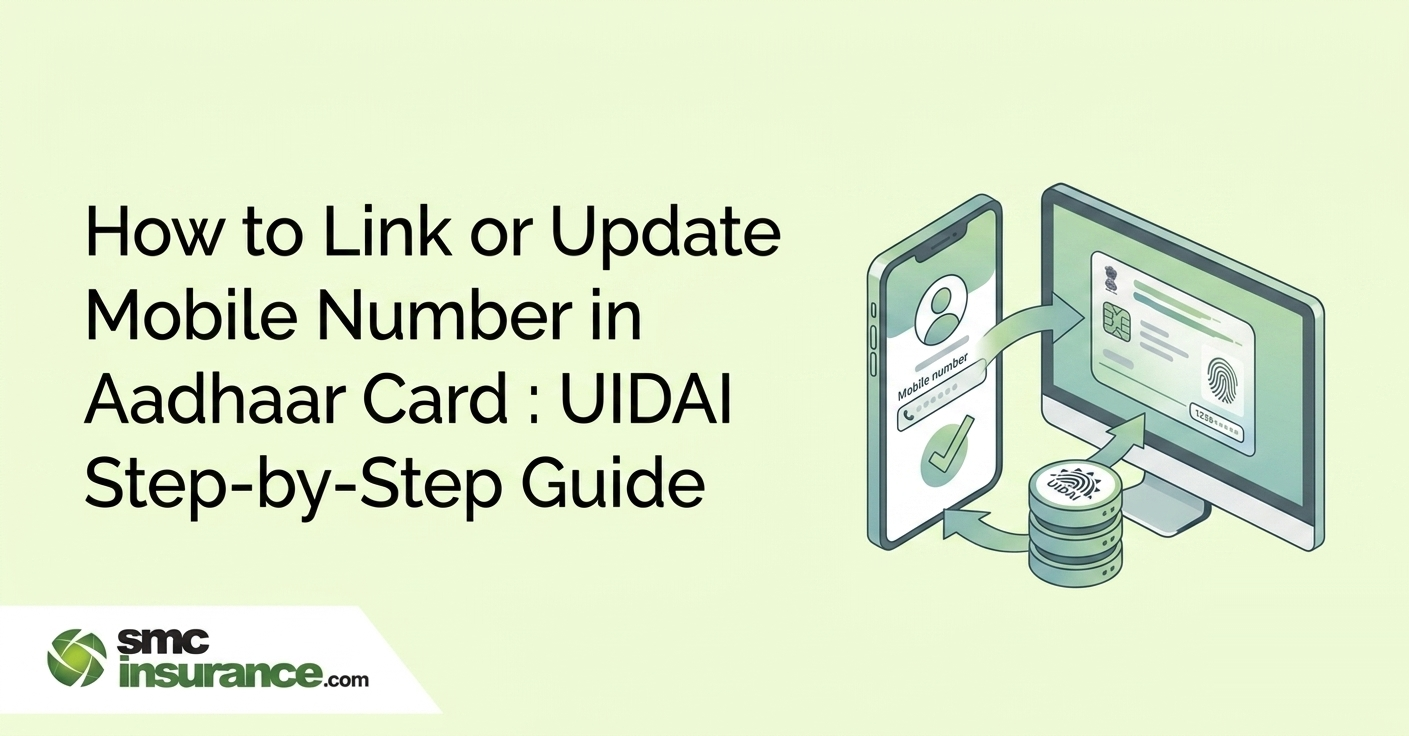
In 2026, there are two ways to link or update your mobile number in Aadhaar.
Method 1: Use the new official Aadhaar app with face authentication — do it from your phone without visiting a centre.
Method 2: Visit an Aadhaar Seva Kendra (ASK) or Aadhaar Enrolment Centre for biometric verification. Both methods charge a fee of Rs. 75 as per UIDAI's official rate card. Online (app) updates take 48–72 hours; offline centre updates take 7–30 working days.
Your Aadhaar-linked mobile number is the single most critical piece of your digital identity in India. Without it, you cannot download your e-Aadhaar, receive OTPs for government scheme payments, complete bank KYC, file income tax returns, or access EPFO, PMJAY, or DigiLocker. Every service that uses Aadhaar authentication depends on this one number being active and correct.
Yet millions of Indians have an outdated or disconnected number linked to their Aadhaar — often from a SIM they lost, a number they changed years ago, or a mobile that was never registered at all during enrolment. In 2026, UIDAI has made the update process significantly easier with the new official Aadhaar app, which allows mobile number updates using face authentication from your phone — without visiting any centre. This guide covers every method, every fee, every step and every common mistake.
Table of Contents
- What's New In 2026: UIDAI Aadhaar App With Face Authentication
- Method 1: Update Aadhaar Mobile Number Via New Aadhaar App (2026)
- Method 2: Update Aadhaar Mobile Number At Aadhaar Seva Kendra / Enrolment Centre (Offline)
- mAadhaar App Is Being Shut Down — What You Need to Do
- How To Check If Your Mobile Number Is Already Linked To Aadhaar?
- How To Book An Appointment For Aadhaar Mobile Update (Offline)?
- How To Track Your Aadhaar Mobile Number Update Status?
- Update Fee Summary (UIDAI Official Rate Card — 2026)
- Why Your Mobile Number Must Be Linked To Aadhaar: 10 Services That Require It
- Common Mistakes And How To Avoid Them
- What If Your Old Mobile Number Is Lost, Stolen, Or No Longer Accessible?
- Aadhaar Mobile Update For Children
- Why Does This Matter If You Hold Insurance Policies?
What's New In 2026: UIDAI Aadhaar App With Face Authentication
The biggest update for 2026 is that mobile number changes
can now be initiated via the new official Aadhaar app using face authentication — meaning you can submit the
update request from your smartphone without physically visiting an Aadhaar Seva Kendra.
This is different
from the older mAadhaar app, which does not support mobile number updates. The new Aadhaar app works with
a companion service called AadhaarFaceRD, which uses your phone's front camera to authenticate your identity
against your enrolled biometrics.
The update is not entirely contactless — UIDAI still processes the request
with a backend verification — but you no longer need to queue at a centre if your smartphone supports face authentication.
What you need to use the app method:
A compatible Android or iOS smartphone
The new official Aadhaar app (not the older mAadhaar app — download only from the Play Store or App Store directly from UIDAI)
AadhaarFaceRD installed on the same phone (required for face authentication)
The new mobile number you want to link (must be active and receiving SMS)
Rs. 75 for the update fee (payable in-app)
The demographic update fee (covering mobile number, address, name, date of birth and email updates done
separately) is Rs. 75 as per UIDAI's official fee schedule.
Note: UIDAI has officially announced that the mAadhaar app will be discontinued. Users still relying on mAadhaar for digital Aadhaar access, PVC card ordering,
or authentication history should migrate to the new Aadhaar app as soon as possible to avoid service disruption.
Method 1: Update Aadhaar Mobile Number Via New Aadhaar App (2026)
This is the fastest method if you have a compatible smartphone. Updates process in 48 to 72 hours.
Step 1: Download the App
Download the new official Aadhaar app from Google Play Store (Android) or Apple App Store (iOS). Search for "Aadhaar" — it is published by UIDAI. Also download AadhaarFaceRD from the same app stores. Do not download from third-party links.
Step 2: Log In
Open the Aadhaar app and log in using your 12-digit Aadhaar number. OTP-based authentication is used only if your old number is still active. If your old number is inactive, face authentication via AadhaarFaceRD handles the verification.
Step 3: Go to Service Section
On the home screen, go to the "Service" section.
Step 4: Select Mobile Number Update
Tap "Mobile Number Update."
Step 5: Enter Your New Mobile Number
Enter your new mobile number. You will receive an OTP on this new number — enter it to confirm the number is active and in your possession.
Step 6: Complete Face Authentication
Complete face authentication using AadhaarFaceRD. The app opens the face scanner — position your face in the frame as instructed. Good lighting and a steady hand improve accuracy.
Step 7: Pay the Fee
Pay the Rs. 75 update fee through the in-app payment option (UPI, debit card, or net banking).
Step 8: Save Your SRN
You will receive an acknowledgement with a Service Request Number (SRN). Save this — you'll use it to track your update status.
Processing time is 48 to 72 hours for app-based updates. You'll receive an SMS on your new number once the update is processed.
Note: Your previous registered mobile number is NOT required for this process. If your old SIM is lost or deactivated,
the face authentication method still works.
Method 2: Update Aadhaar Mobile Number At Aadhaar Seva Kendra / Enrolment Centre (Offline)
This is the traditional method and works for everyone, including those who don't have a compatible smartphone for face authentication.
Step 1: Locate your nearest Aadhaar Seva Kendra (ASK) or Aadhaar Enrolment Centre using the UIDAI's Bhuvan Aadhaar portal at bhuvan.nrsc.gov.in/aadhaar or through the UIDAI website at uidai.gov.in.
Step 2: Book an appointment in advance at appointments.uidai.gov.in . Walk-in is allowed at most centres, but an appointment saves significant waiting time, especially in cities.
Step 3: Visit the centre on your scheduled date. Carry your Aadhaar card (physical or a printout of your e-Aadhaar).
Step 4: At the counter, inform the operator you want to update your mobile number. Collect and fill the Aadhaar Update/Correction Form, available at the centre or pre-downloadable from uidai.gov.in.
Step 5: Provide your new mobile number on the form. No supporting document is required for a mobile-number-only update — biometric verification (fingerprint or iris scan) is sufficient to confirm your identity.
Step 6: The operator will scan your fingerprint or iris at the centre's equipment.
Step 7: Pay the Rs. 75 fee at the counter — cash and digital payment are both accepted.
Step 8:
Collect your acknowledgement slip. It contains a 14-digit Update Request Number (URN). Keep this carefully.
Processing time is 7 to 30 working days for
centre-based updates. UIDAI's official maximum is 90 days, but most updates complete within 10 working days. You receive an SMS on
your new number when the update is done.
Documents you do NOT need (common misconceptions):
You do not need your old SIM or old mobile number
You do not need a copy of your PAN card or any address proof for a mobile-number-only update
You do not need a NOC from any employer or family member
mAadhaar App Is Being Shut Down — What You Need to Do
UIDAI has officially announced that the mAadhaar app will be phased out. If you currently use mAadhaar to carry your digital Aadhaar, check authentication history, or order PVC cards, you need to migrate to the new Aadhaar app (identified by the Pehchaan logo on app stores). Download it from pehchaan.uidai.gov.in/app/download. Note that your saved profiles, downloaded e-Aadhaar PDFs and biometric lock settings do not transfer automatically; you will need to set these up again in the new app. The mobile number update feature that this article covers is only available in the new app, not in mAadhaar.
Also Read:
How To Check If Your Mobile Number Is Already Linked To Aadhaar?
Before visiting a centre or opening the app, verify whether a mobile number is already registered — and which one it is.
Method 1: UIDAI's Verify Email/Mobile Portal If your number is registered, a confirmation message appears: "The mobile number you have entered is already
verified in our records." If the number you entered is not registered, a message states it does not match
UIDAI's records.
Go to myaadhaar.uidai.gov.in/verify-email-mobile. Enter your 12-digit Aadhaar number and the mobile number you want to check. Enter the captcha
and click Submit.
Note: UIDAI does not reveal the registered number in full — it only confirms or denies whether a specific number you enter is linked. If you don't remember which number you registered, the Verify Aadhaar
feature on myaadhaar.uidai.gov.in shows the last three digits of the registered mobile — enough to narrow it down.
Method 2: TAFCOP Portal (Check how many mobile numbers are on your Aadhaar)
The Department of Telecommunications' TAFCOP portal (tafcop.dgtelecom.gov.in) lets you check all mobile connections registered in your name
via Aadhaar. This is particularly useful if you suspect a SIM was activated using your Aadhaar without your knowledge. Enter your mobile number,
verify with OTP and see all SIM cards linked to your identity.
Method 3: Try logging into myaadhaar.uidai.gov.in
Enter your Aadhaar number and click "Send OTP." If an OTP arrives on a specific number, that's your registered number. If you don't receive it on any phone, your
Aadhaar either has no registered number or the registered number is inactive.
How To Book An Appointment For Aadhaar Mobile Update (Offline)?
Booking an appointment is strongly recommended for offline updates. Walk-in queues at Aadhaar Seva Kendras in metro cities can be 2–3 hours long without an appointment.
Step 1: Go to appointments.uidai.gov.in
Step 2: Select your State and City.
Step 3: Choose "Aadhaar Update" as the service type.
Step 4: Select your preferred Aadhaar Seva Kendra from the available list.
Step 5: Pick a date and time slot.
Step 6: Enter your name and mobile number (the new number you wish to register — you'll receive the appointment confirmation here).
Step 7: Confirm the booking. You'll receive an SMS with your appointment details. Print or screenshot this confirmation — some centres require you to show it at entry.
How To Track Your Aadhaar Mobile Number Update Status?
After submitting your request (by app or at a centre), track progress using the UIDAI update status portal.
Online Tracking
Go to myaadhaar.uidai.gov.in and look for "Check Aadhaar Update Status." Enter your 14-digit URN (for offline centre updates)
or your SRN (for app-based updates) along with your Aadhaar number and captcha. The portal shows whether your update is pending, under review,
or completed.
Via UIDAI Helpline
Call 1947 (toll-free, 24x7 in multiple Indian languages). Provide your URN or SRN and Aadhaar number to the
customer service representative.
What the status stages mean:
Submitted: Your request has been received and is in the processing queue.
Under Review: UIDAI is verifying the update request — biometric or identity cross-checks are in progress.
Approved/Updated: The update is complete. Download your new e-Aadhaar from myaadhaar.uidai.gov.in — the new mobile number is now active.
Rejected: Rare for mobile-number-only updates. Usually happens due to biometric mismatch at the centre. Visit again and re-submit.
Update Fee Summary (UIDAI Official Rate Card — 2026)
|
Service |
Fee |
|
Aadhaar enrolment (first time) |
Free |
|
Mobile number update (done separately) |
Rs. 75 |
|
Address/name/DOB demographic update (done separately) |
Rs. 75 |
|
Demographic update + biometric update (together) |
Rs. 125 (biometric fee only) |
|
Biometric update only (fingerprint/iris/photo) |
Rs. 125 |
|
Document update via myAadhaar portal |
Free (extended to 14 June 2027 per UIDAI Office Memorandum dated 13 May 2026; verify current status on uidai.gov.in) |
|
PVC card order |
Rs. 75 (revised from 1 January 2026) |
|
Mandatory biometric update (ages 5–7, 15–17) |
Free until 30 September 2026; Rs. 125 thereafter |
|
Aadhaar reprint at enrolment centre |
Rs. 30 |
Source: UIDAI Aadhaar Enrolment and Update official fee chart. There is no
additional charge for booking an appointment online.
Note: Only one mobile number can be the registered/linked number in your Aadhaar record. However, you can use the same
Aadhaar to verify up to nine different SIM cards during SIM activation (this is a telecom KYC process, separate from Aadhaar
registration).
Why Your Mobile Number Must Be Linked To Aadhaar: 10 Services That Require It
If you're still deciding whether to bother, here are the everyday services that stop working without an Aadhaar-registered mobile number:
Downloading e-Aadhaar: You cannot download or unlock your e-Aadhaar PDF without the OTP sent to your registered number.
EPFO and EPF Withdrawal: All online EPF claims, PF balance checks and UAN services require Aadhaar-linked OTP authentication.
Ayushman Bharat PMJAY: Card registration, eligibility checks and Vay Vandana Card enrolment all require OTP to your Aadhaar-linked number.
Income Tax Filing and PAN-Aadhaar Linking: The IT portal sends OTPs and verification codes to your Aadhaar-registered number during filing and linking.
Bank KYC and Account Opening: Most banks use Aadhaar-based eKYC for instant account opening — this requires an OTP to your registered number.
PM Kisan and Direct Benefit Transfer (DBT): Government benefit payments are routed through Aadhaar-linked bank accounts. If your Aadhaar mobile is inactive, DBT payments can get stuck.
DigiLocker: Your DigiLocker account — which stores driving licences, vehicle RC, mark sheets and more — is linked to your Aadhaar. Access requires OTP.
myAadhaar Portal Services: Address update, document update and demographic changes all require login via OTP to your registered number.
UIDAI's Aadhaar App: Access to your digital Aadhaar profile and family profiles in the app requires your registered number.
Passport and Visa Services: Aadhaar-based address verification in passport applications uses OTP authentication.
In short: if your registered mobile number is inactive, your ability to use Aadhaar as a digital identity is severely limited — even if your physical Aadhaar card is in your wallet.
Common Mistakes And How To Avoid Them
Visiting a centre without an appointment on a Monday morning: Aadhaar Seva Kendras are busiest early in the week. Book a Tuesday or Wednesday afternoon slot for shorter wait times.
Using the wrong app: The mAadhaar app does not support mobile number updates. You need the new Aadhaar app published by UIDAI. Double-check the publisher before installing.
Entering the number you want to remove, not add: The update form asks for your new number, not your old one. Confirm you're entering the number you want to register going forward.
Not carrying any ID to the centre: While no document is required for mobile-number-only updates, some operators at smaller enrolment centres still ask for a basic photo ID as a precaution. Carry your Aadhaar card at minimum.
Not collecting the acknowledgement slip: Without the URN, you cannot track your update status. If the operator doesn't hand you a slip, ask for it explicitly.
Assuming the update is instant: Even app-based updates take 48–72 hours. Do not try to use OTP-based Aadhaar services immediately after submitting — wait for the SMS confirmation.
Visiting a non-authorised centre: Only UIDAI-authorised Aadhaar Seva Kendras and Permanent Enrolment Centres can process updates. Verify the centre is listed on bhuvan.nrsc.gov.in/aadhaar before visiting. Unauthorised operators have been known to charge inflated fees or submit fraudulent updates.
What If Your Old Mobile Number Is Lost, Stolen, Or No Longer Accessible?
This is the most common scenario — and the most misunderstood one. The answer is straightforward: you do not need your old number to update. Both methods work without the old number:
Via the Aadhaar App: Face authentication using AadhaarFaceRD verifies your identity without any OTP to the old number. The new number is confirmed with an OTP to itself.
Via Aadhaar Seva Kendra: Biometric verification (fingerprint or iris) at the centre confirms your identity. No OTP to the old number is needed.
So if you've lost your SIM, changed your number, or your old number has been reassigned to someone else — you can still update without any access to that number.
One caution: if your old number was reassigned to a stranger and is still linked to your Aadhaar, update it immediately.
Any OTP-based service on your Aadhaar will be sent to that stranger until you update. This is a genuine security risk.
Aadhaar Mobile Update For Children
Children under 15 who enrolled under the ECMP (Early Childhood Mapping Process) may not have a registered mobile number. If a parent or guardian wishes to register a number, they must visit an Aadhaar Seva Kendra with the child present and their own Aadhaar for the guardian's biometric verification. The child's Aadhaar number is updated, not the guardian's. Mandatory biometric updates for children at ages 5 and 15 are free of charge.
Why Does This Matter If You Hold Insurance Policies?
Your Aadhaar-linked mobile number is required for insurance-related services that have moved to digital authentication. Here's where it directly affects SMC Insurance policyholders and prospects:
Health Insurance Claims and KYC: Cashless claim pre-authorisation and policy renewals increasingly use Aadhaar-based eKYC. If your mobile is outdated, digital KYC fails and you may have to complete physical documentation at the insurer's branch, causing unnecessary delays during hospitalisation.
Ayushman Bharat PMJAY Card Enrolment: The Vay Vandana Card for senior citizens aged 70 and above requires Aadhaar OTP for registration. Without a linked number, senior family members cannot get their card and miss out on Rs. 5 lakh in free annual health coverage.
EPF and Group Insurance Linking: Employers link group health and group term life insurance to EPFO records. Your EPFO account uses your Aadhaar-linked mobile for all OTP-based transactions. An inactive number disrupts EPF balance access, PF withdrawal and scheme notifications.
Vehicle Insurance Renewal and E-Policies: IRDAI mandates e-policies for all new and renewed vehicle insurance. E-policy delivery and OTP authentication for claims use your mobile number — which, in digital workflows, is increasingly cross-verified with Aadhaar.
Wrapping Up,
Keeping your Aadhaar-linked mobile number active and up to date is no longer optional — it is the key to accessing almost every major digital government and financial service in India. Whether you use the new Aadhaar app with face authentication or visit an Aadhaar Seva Kendra in person, the process is straightforward and takes just one visit or a few taps on your phone.
If you have lost your old number or never registered one, do not delay. Both update methods work without your old SIM. Act now to protect your digital identity, your government benefits and your insurance access.
Disclaimer: The information provided on this platform is intended for general awareness and educational purposes. While every effort is made to ensure accuracy, some details may change with policy updates, regulatory revisions, or insurer-specific modifications. Readers should verify current terms and conditions directly with relevant authorities or through professional consultation before making any decision.
All views and analyses presented are based on publicly available data, internal research, and other sources considered reliable at the time of writing. These do not constitute professional advice, recommendations, or guarantees of any kind. Readers are encouraged to assess the information independently and seek qualified guidance suited to their individual requirements. Customers are advised to review official UIDAI guidelines and disclosures before proceeding with any update or commitment.
FAQs
Yes, since 2026. The new official Aadhaar app supports mobile number updates using face authentication via AadhaarFaceRD — no centre visit required. You enter your new mobile number, verify it with an OTP sent to that new number, complete face authentication on the app and pay Rs. 75 in-app. The update is processed within 48 to 72 hours. This method requires a compatible smartphone and the AadhaarFaceRD companion app. If your phone doesn't support face authentication, you'll need to visit an Aadhaar Seva Kendra instead.
The official UIDAI fee for a demographic update done separately — which covers mobile number, address, name, date of birth, or email — is Rs. 75 inclusive of taxes. This applies whether you use the Aadhaar app or visit a centre. If you update your mobile number at the same time as a biometric update (fingerprint or iris), the demographic component is free and you pay only Rs. 125 for the biometric update. There is no additional fee for booking an appointment.
Go to myaadhaar.uidai.gov.in/verify-email-mobile. Enter your Aadhaar number and the mobile number you think might be registered, along with the captcha. If it matches, you'll get a confirmation. If not, try the Verify Aadhaar option on the same portal — it shows the last three digits of your registered mobile, which should help you identify it. You can also check TAFCOP (tafcop.dgtelecom.gov.in) to see all SIM cards registered under your name via Aadhaar.
No, your old number is not required for either method. Via the Aadhaar app, face authentication confirms your identity. At an Aadhaar Seva Kendra, biometric verification (fingerprint or iris) is used. The new number you want to register is verified by sending an OTP to that new number itself. This means even if your old SIM is lost, deactivated, or reassigned — you can still complete the update without it.
App-based updates using face authentication typically process within 48 to 72 hours. Centre-based updates (biometric at Aadhaar Seva Kendra) typically take 7 to 30 working days, though UIDAI's official maximum timeline is 90 days. You receive an SMS on your new mobile number once the update is complete. Track your request anytime using the SRN (app updates) or URN (centre updates) on myaadhaar.uidai.gov.in or by calling UIDAI helpline at 1947.
No, the mAadhaar app does not support mobile number or other demographic updates. It is primarily used for carrying your digital Aadhaar, checking authentication history and ordering PVC cards. To update your mobile number via app, you need the new official Aadhaar app published by UIDAI (available on Google Play Store and Apple App Store), along with the AadhaarFaceRD companion app for face authentication.
No supporting document is required for a mobile-number-only update. Your biometric verification (fingerprint or iris scan) at the centre is sufficient to confirm your identity. However, carry your Aadhaar card or a printout of your e-Aadhaar to help the operator locate your record. Some smaller enrolment centres may ask for a basic photo ID as an additional precaution — carrying your Aadhaar card covers this.
Yes, this is a real risk. If your Aadhaar's registered mobile is currently in use by someone else (because it was reassigned after you deactivated it), they can theoretically receive OTPs intended for your Aadhaar-based services. Update your mobile number immediately using the Aadhaar app's face authentication or by visiting an Aadhaar Seva Kendra. This protects your bank accounts, EPFO account and other Aadhaar-linked services from unauthorized access.


